Short-form video creators
Build a recognisable quiz series with a consistent visual style, spoken questions and answer reveals. Export portrait videos for your own channel.
Make a TikTok quiz → Quiz.Video
AI Quiz Generator
Draft editable quiz questions from a topic or source.
Picture Quiz Maker
Create image rounds with clear answer reveals.
Multiple Choice Quiz Maker
Write questions with three or four answer choices.
PDF to Quiz
Draft questions from readable text in textbooks, manuals and PDFs.
Presentation to Quiz
Turn a PPTX export from your slide deck into editable quiz questions.
Photo to Quiz
Snap handwritten notes, whiteboards, or worksheets and generate quizzes instantly.
Text to Quiz
Paste articles, docs, or transcripts to spin up quizzes on demand.
Spreadsheet to Quiz
Import CSV or Excel question banks and upgrade them with AI.
Video to Quiz
Upload webinars, lectures, or trainings and auto-generate quizzes with transcripts.
YouTube to Quiz
Turn an accessible YouTube transcript into editable quiz questions.
Faceless YouTube Quiz Maker
Create narrated quiz videos for your own YouTube channel.
TikTok Quiz Maker
Generate vertical quiz videos optimised for TikTok, Reels, and Shorts engagement.
AI Test Maker
Turn study notes into review questions and printable quizzes.
MCP Quiz Generator
Create, edit, and render quizzes from Claude, ChatGPT, Cursor, or any MCP-compatible assistant.
AI Flashcard Maker
Create editable flashcards from topics or supported source material.
YouTube to Flashcards
Draft flashcards from an accessible YouTube transcript.
Video to Flashcards
Upload recordings or podcasts to transcribe and turn into flashcards.
Notes to Flashcards
Turn focused study notes into editable question-and-answer cards.
PDF to Flashcards
Convert textbooks, SOPs, and decks into flashcards in minutes.
Photo to Flashcards
Read clear text in a photo and review the generated cards.
AI Topic Generator
Describe a topic, then check and edit the generated study cards.
Your questions. Your voice. Your video.
Turn a topic, document or video into a quiz people can watch or play. Review the questions, choose a template, add narration, and export an MP4 for TikTok, YouTube Shorts or Reels.
Start with a draft. Check every answer and listen to your chosen voice before rendering.
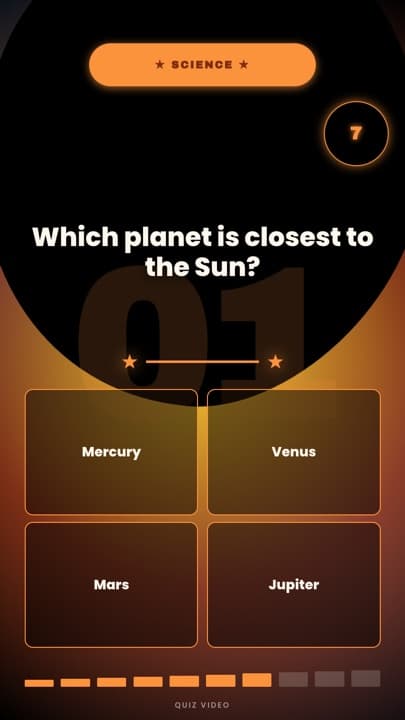
Ask a question
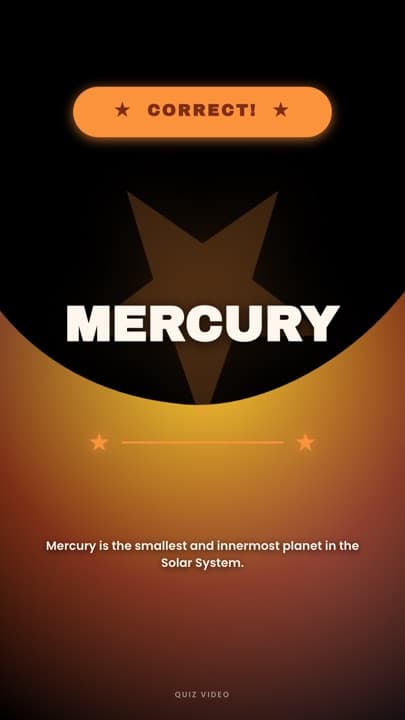
Reveal the answer
AI quiz generator
Describe the subject and audience, then choose your language and question settings in the creator. AI prepares an editable draft for you to check.
Have source material already? Start with a PDF, your notes or a YouTube transcript.
Illustrative quiz example
These sample questions show a clear question, plausible options and a checked answer.
Question 1
How many sides does a triangle have?
Three. A triangle is a polygon with three sides.
Question 2
What is 7 × 8?
56. Seven groups of eight make fifty-six.
After reviewing your draft, choose a template and preview the timing and narration.
A practical workflow
A good quiz gives viewers enough time to think, then makes the answer clear. Start with a short draft and review it before making a longer video.
Choose a topic or import notes, a document or a video. Tell the generator who the quiz is for and what it should cover.
Explore AI quiz generation →Check names, numbers and the correct answer against your source. Edit unclear wording and make wrong options plausible.
Write better multiple-choice questions →Select a portrait or landscape template. Preview a voice in your language, add images, and keep text readable on a phone.
Choose a video template →Watch the question, countdown and reveal. Render an MP4 to upload yourself, or publish an interactive quiz when you want a public link.
Read the complete workflow →Build a recognisable quiz series with a consistent visual style, spoken questions and answer reveals. Export portrait videos for your own channel.
Make a TikTok quiz →Turn a lesson or revision notes into questions. Use a public interactive quiz, a printable quiz PDF, or a narrated video for group review.
Create a study quiz →Create a visual round about places, objects or a subject you know. Add your own images, check the crop, and reveal each answer.
Build a picture quiz →Use a PDF, slide deck or spreadsheet as the starting point. Review the generated questions alongside the source before sharing.
Convert a PDF to a quiz →Generate a draft from your topic or source, then change the wording, answer choices, correct answer and explanation.
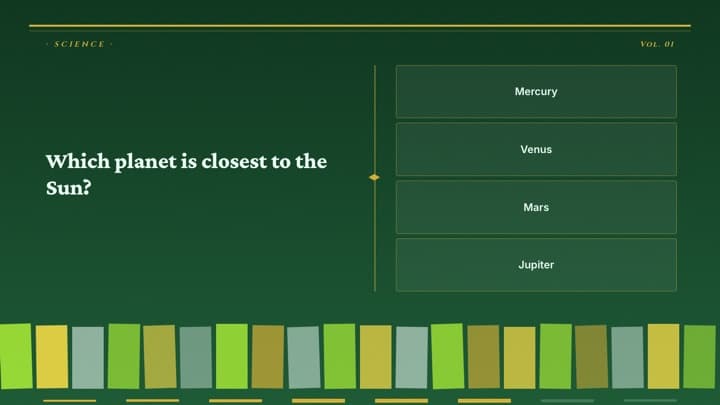
Choose a ready-made style or edit colours, type, backgrounds and image layers in the template editor.
Search voices, listen to a sample in your language, and adjust speaking speed. Custom scripts let you control what is spoken.
Adjust pacing and preview the time viewers get to read and answer. Narration is included in the video timeline.
Add images to questions and template layers. Choose background music, upload your own audio, or export without music.
Keep a quiz private or deliberately publish it to the public library. Rendering a video does not change its visibility.
Annual is our best value: it costs 47% less than paying monthly. Monthly is here when you would rather not commit for a year.
$10/month
$120 billed yearly
Best for creators who post consistently. One payment a year, every feature unlocked, no watermark on exports.
$19/month
Billed monthly
Pay month to month with no yearly commitment. Every Pro feature is included.
Just exploring?
Build 1 quiz a month for free. Renders include a watermark.
Billing terms apply. Read the Terms of Service.
Choose a topic, review the draft, then add your own visual style and narration.
Editable questions • Voice previews • Video templates
Billing terms apply. Read the Terms of Service.